
154 lines
6.6 KiB
Markdown
154 lines
6.6 KiB
Markdown
# 🚀 Version 1.0 – Initial Release
|
||
|
||
The first official release of the **Personal Lines Task Tracker** — a gamified task management and progress tracking tool designed for insurance agency workflows. Built in **Node-RED** with a clean **React-based UI**, **SQLite** persistence, and support for daily task tracking, seasonal story progression, and admin control features.
|
||
|
||
---
|
||
|
||
## ✨ Key Features
|
||
|
||
- **Agent Dashboard** — Displays daily tasks, completion status, earned points, energy level, and story progress.
|
||
- **Gamified Story Mode** — 30-day seasonal and light story arcs with daily interactive actions and energy costs.
|
||
- **Energy System** — Agents complete tasks to gain energy, spend it on story actions, and track their journey.
|
||
- **Task Templates** — Full CRUD (Create, Read, Update, Delete) interface for reusable task templates.
|
||
- **Global Announcements** — Post and clear announcements visible to all agents.
|
||
- **Admin Control Center** — Secure login for super admins to manage agents, reset progress, update templates, and post announcements.
|
||
- **Progress Reset** — Ability to reset an agent’s story and daily progress from the admin dashboard.
|
||
- **SQLite Database Storage** — All agent data, tasks, and templates are persisted locally.
|
||
- **Authentication System** — Session-based admin login/logout with cookie handling.
|
||
- **Responsive UI** — TailwindCSS + React for a clean, mobile-friendly interface.
|
||
- **Dark Mode Support** — Full light/dark mode styling for comfortable use in any environment.
|
||
|
||
---
|
||
|
||
## 📖 Story Content
|
||
|
||
- **Seasonal Story Arc** — Dark, immersive 30-day storyline with branching daily actions.
|
||
- **Light Story Arc** — Wholesome, casual alternative with small-town themed actions.
|
||
- **Dynamic Outcomes** — Every story action triggers unique text outcomes, saved to the daily log.
|
||
|
||
---
|
||
|
||
## 🧭 How to Use the Task Tracker
|
||
|
||
### Sign-In Instructions
|
||
To sign in, go to:
|
||
**<http://10.1.1.72:1880/agent/yourname>**
|
||
|
||
If you are **NOT** on the main network (not physically at our main location), you will need to access the system via a **VPN**.
|
||
Please get with **Matthew** to set this up — it is an **admin install only**.
|
||
|
||
Please follow the SOP below. Clicking on any of the **"View on Loom"** links above the screenshots will take you to a **video walkthrough**.
|
||
|
||
---
|
||
|
||
### Objective
|
||
This SOP outlines the steps to effectively use the task tracker for managing assigned tasks and personal to-do lists.
|
||
|
||
---
|
||
|
||
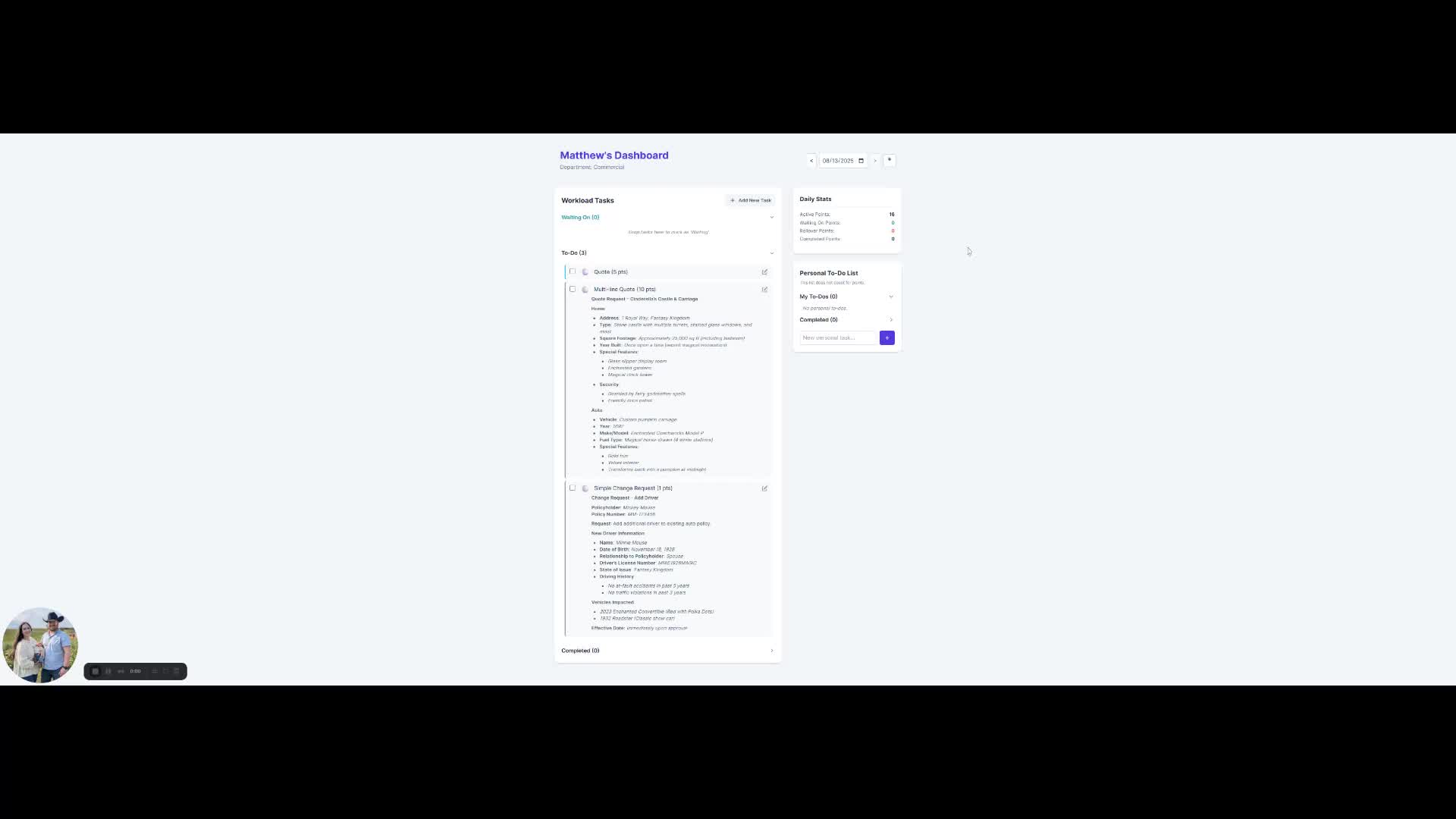
### 1. Accessing Your To-Do List
|
||
[▶ View on Loom (0:00)](https://loom.com/share/973fe7d1ed644806badf084b4e45a908?t=0)
|
||
|
||
- Open the task tracker to view your to-do list.
|
||
- Assigned tasks will appear here.
|
||
|
||
---
|
||
|
||
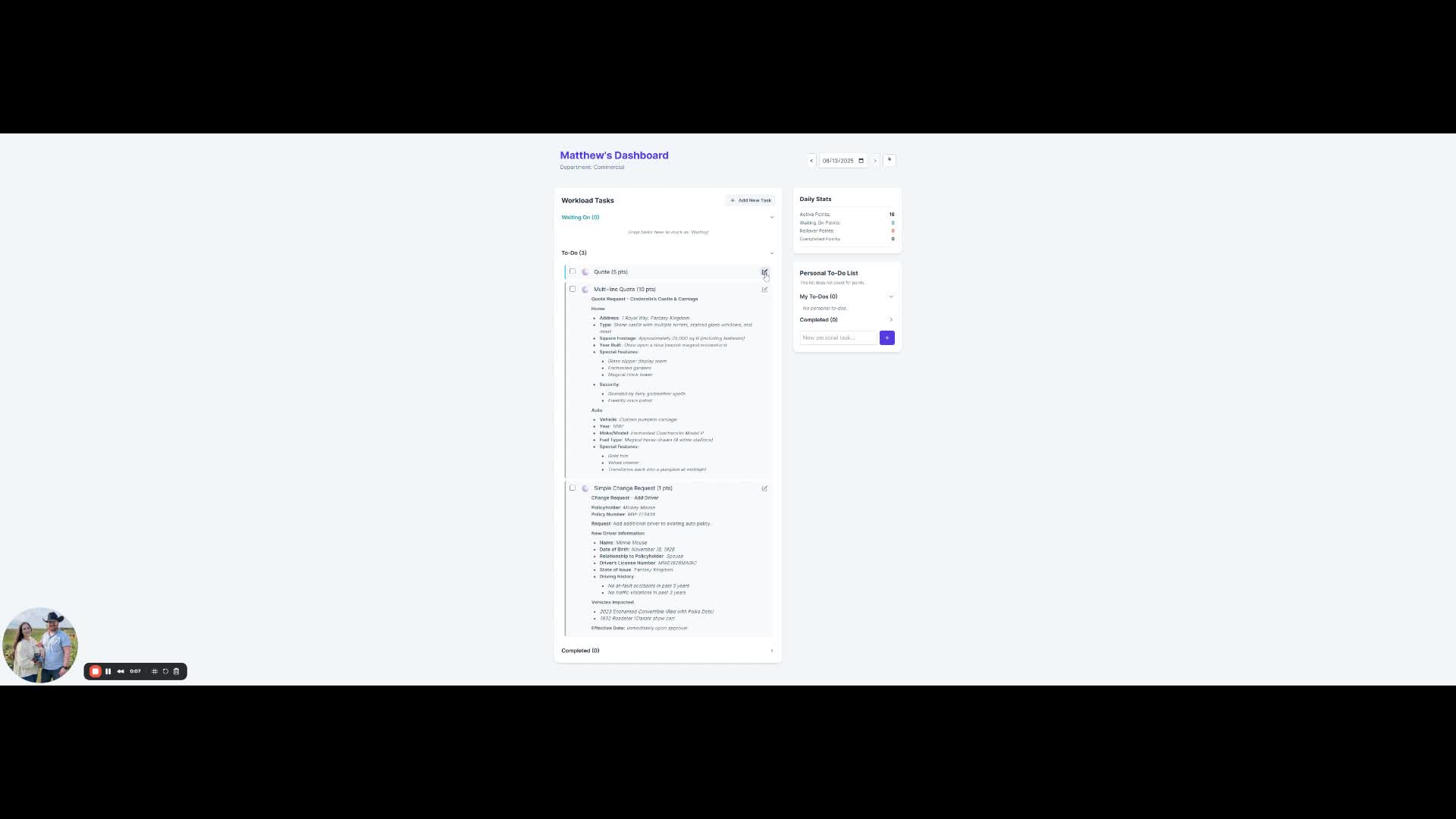
### 2. Editing Task Details
|
||
[▶ View on Loom (0:07)](https://loom.com/share/973fe7d1ed644806badf084b4e45a908?t=7)
|
||
|
||
- Click the pencil icon next to a task to edit.
|
||
- Make the title more descriptive.
|
||
- Change the urgency level (low, medium, high, very high, critical).
|
||
|
||
---
|
||
|
||
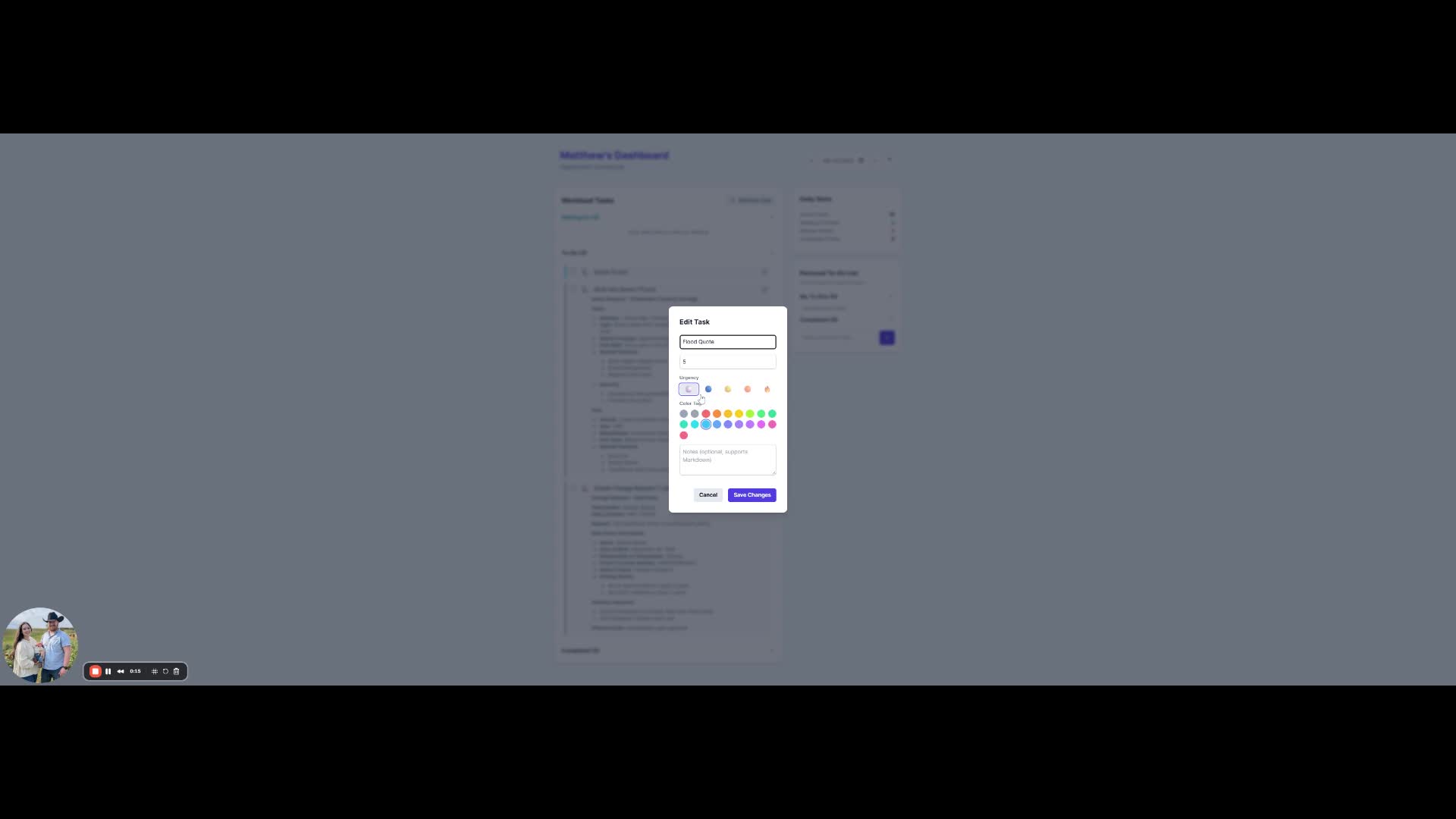
### 3. Adding Notes to Tasks
|
||
[▶ View on Loom (0:15)](https://loom.com/share/973fe7d1ed644806badf084b4e45a908?t=15)
|
||
|
||
- Add notes in the designated area.
|
||
- Use `**double asterisks**` for bold text.
|
||
- Use `*single asterisk*` for bulleted lists.
|
||
|
||
---
|
||
|
||
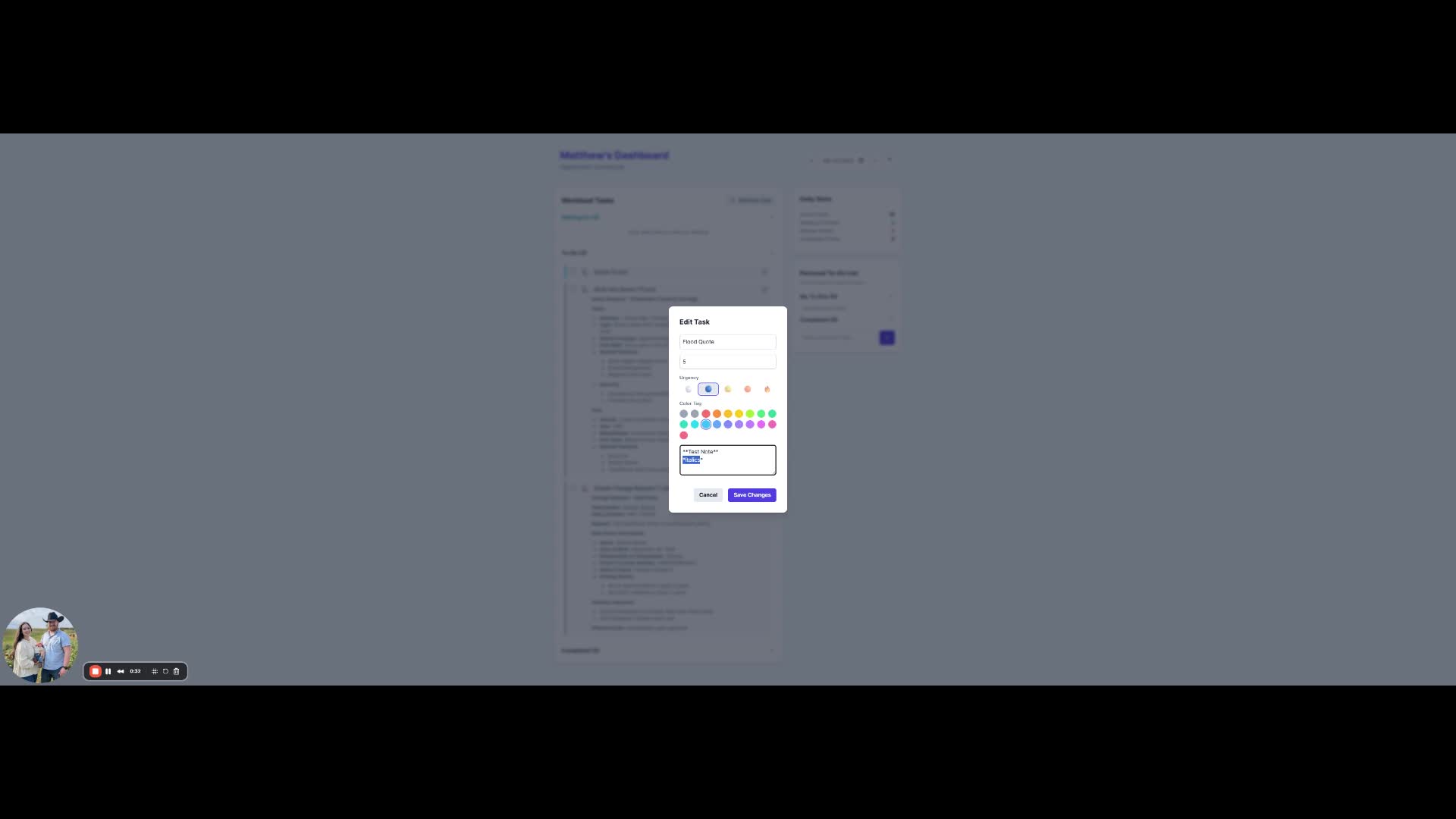
### 4. Completing a Task
|
||
[▶ View on Loom (0:31)](https://loom.com/share/973fe7d1ed644806badf084b4e45a908?t=31)
|
||
|
||
- Check the box next to the task to mark it as complete.
|
||
- The task will move to the completed section.
|
||
|
||
---
|
||
|
||
### 5. Understanding the Points System
|
||
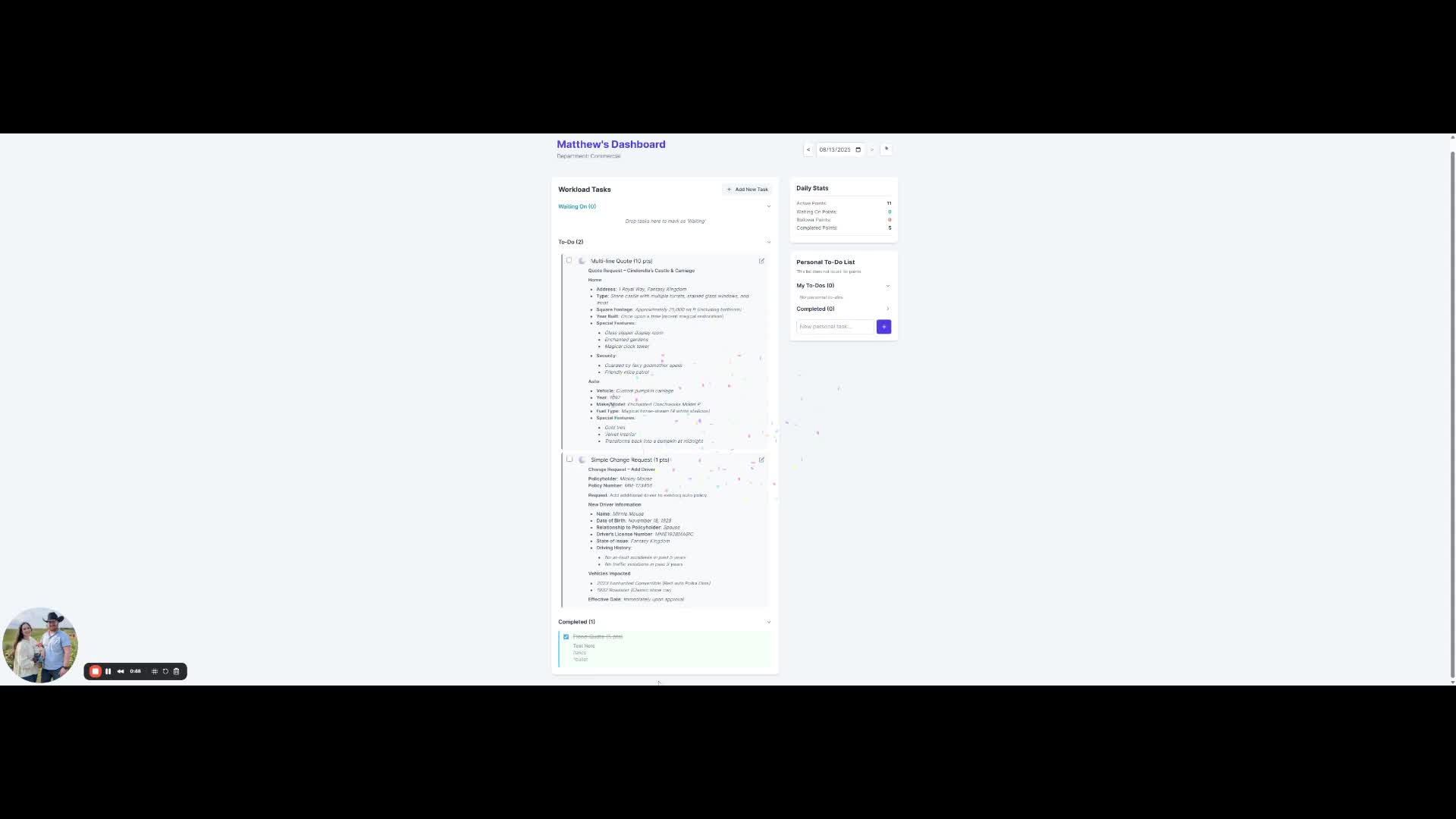
[▶ View on Loom (0:44)](https://loom.com/share/973fe7d1ed644806badf084b4e45a908?t=44)
|
||
|
||
- Points help ensure equitable workload distribution.
|
||
- Monitor your active, waiting on, rollover, and completed points.
|
||
|
||
---
|
||
|
||
### 6. Managing Rollover Tasks
|
||
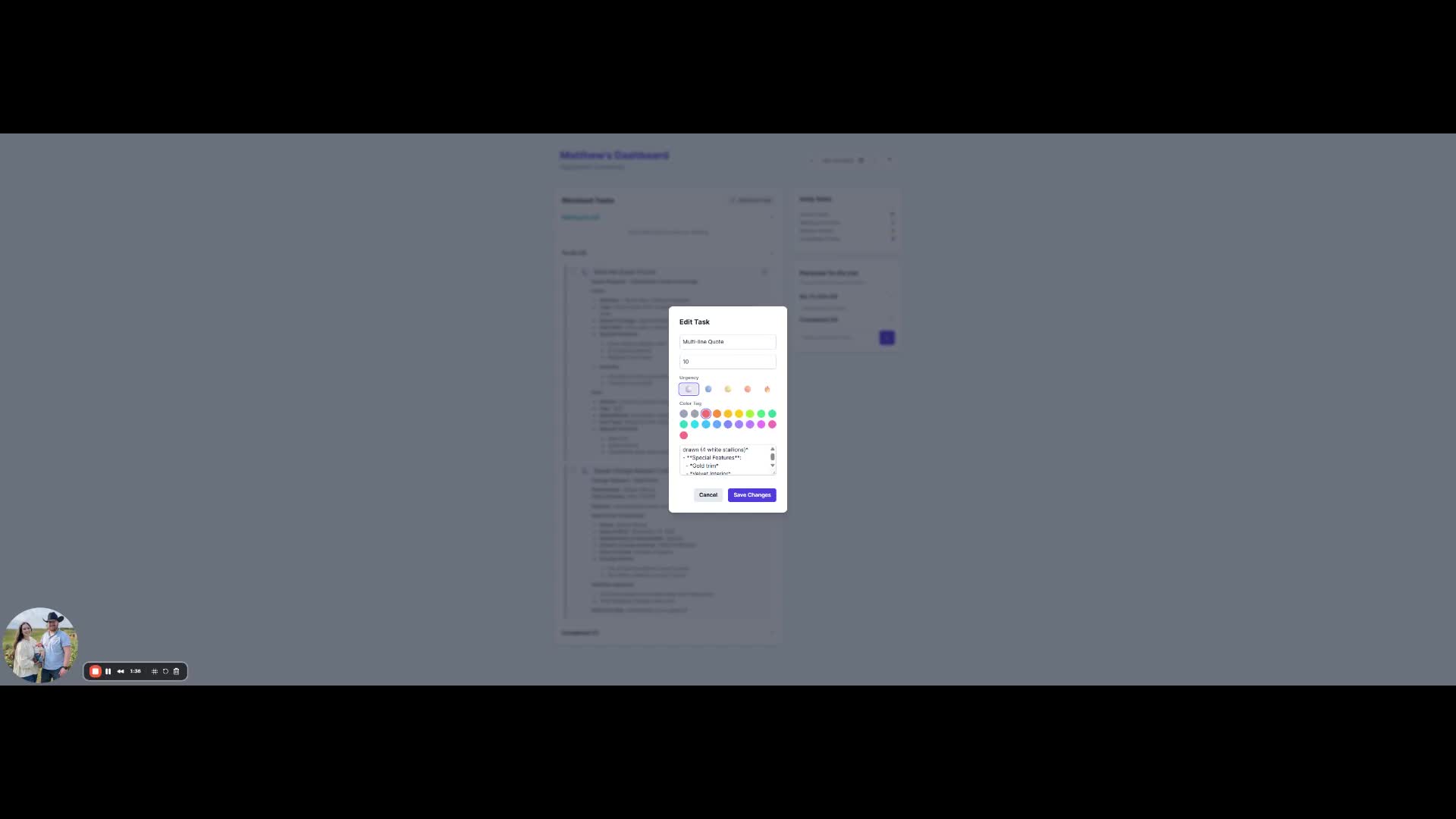
[▶ View on Loom (1:25)](https://loom.com/share/973fe7d1ed644806badf084b4e45a908?t=85)
|
||
|
||
- Uncheck a task to move it to rollover if not completed that day.
|
||
|
||
---
|
||
|
||
### 7. Moving Tasks to "Waiting On"
|
||
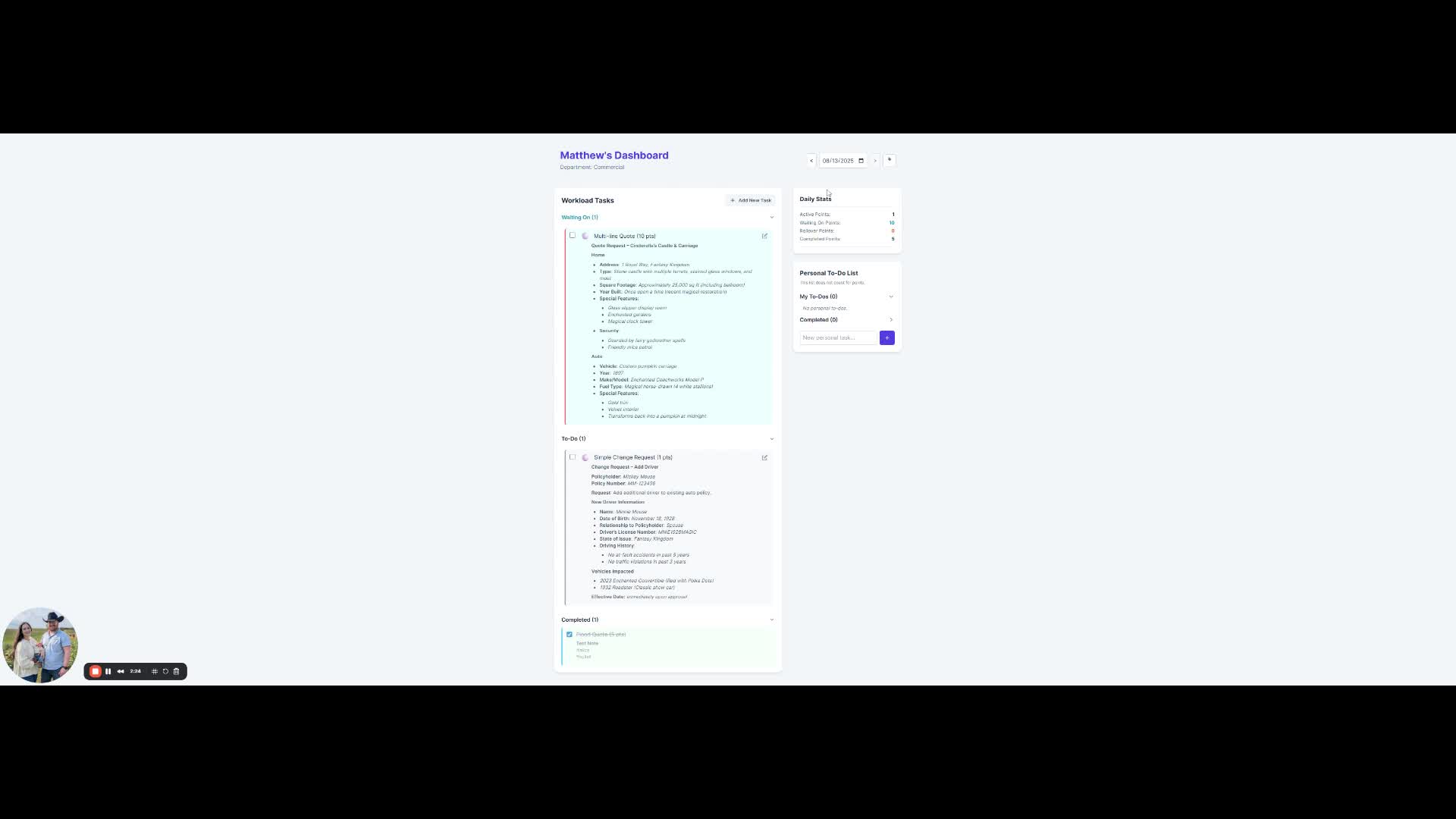
[▶ View on Loom (2:05)](https://loom.com/share/973fe7d1ed644806badf084b4e45a908?t=125)
|
||
|
||
- Drag tasks to the **Waiting On** section if you need further information.
|
||
|
||
---
|
||
|
||
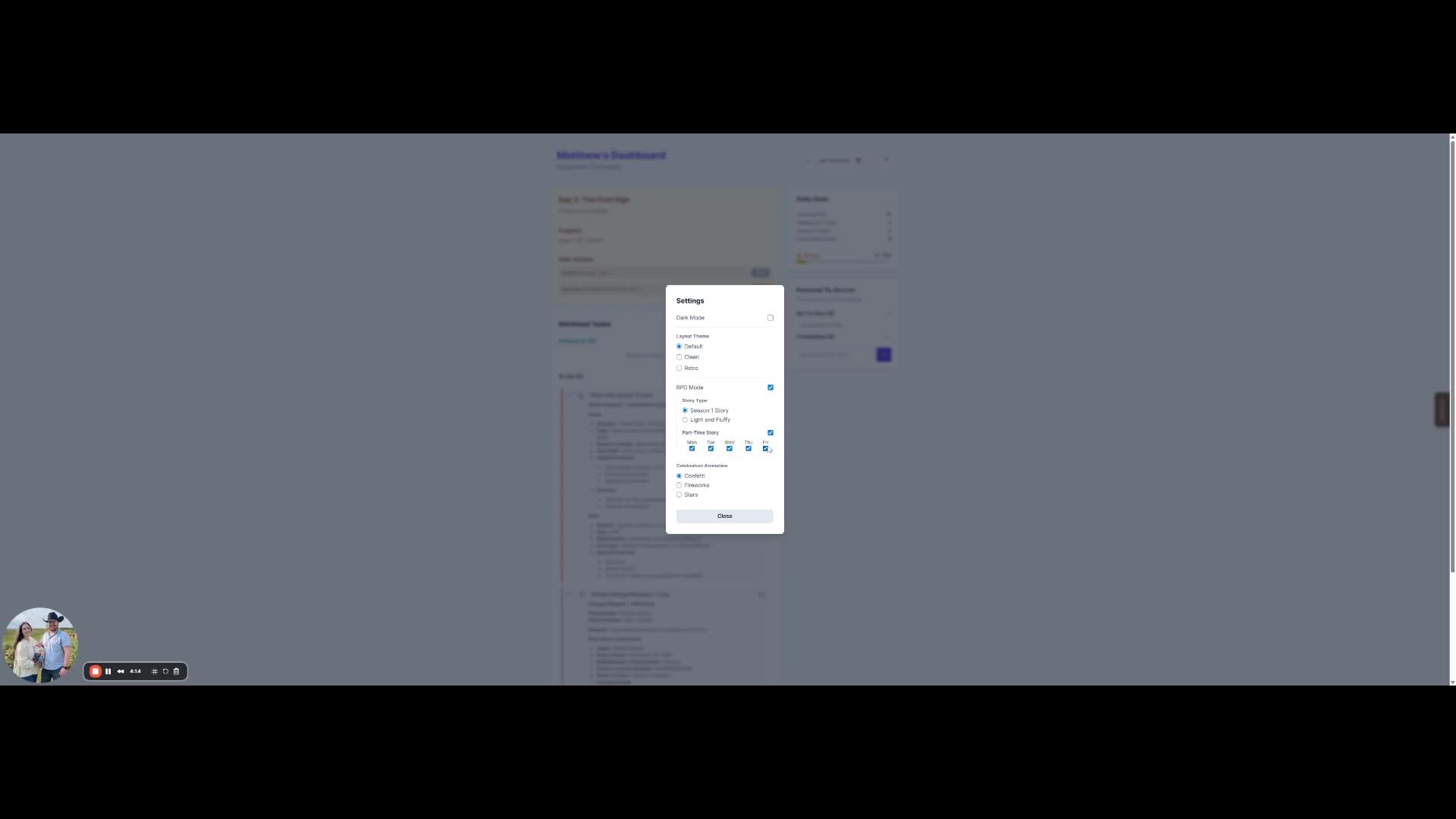
### 8. Adjusting Settings
|
||
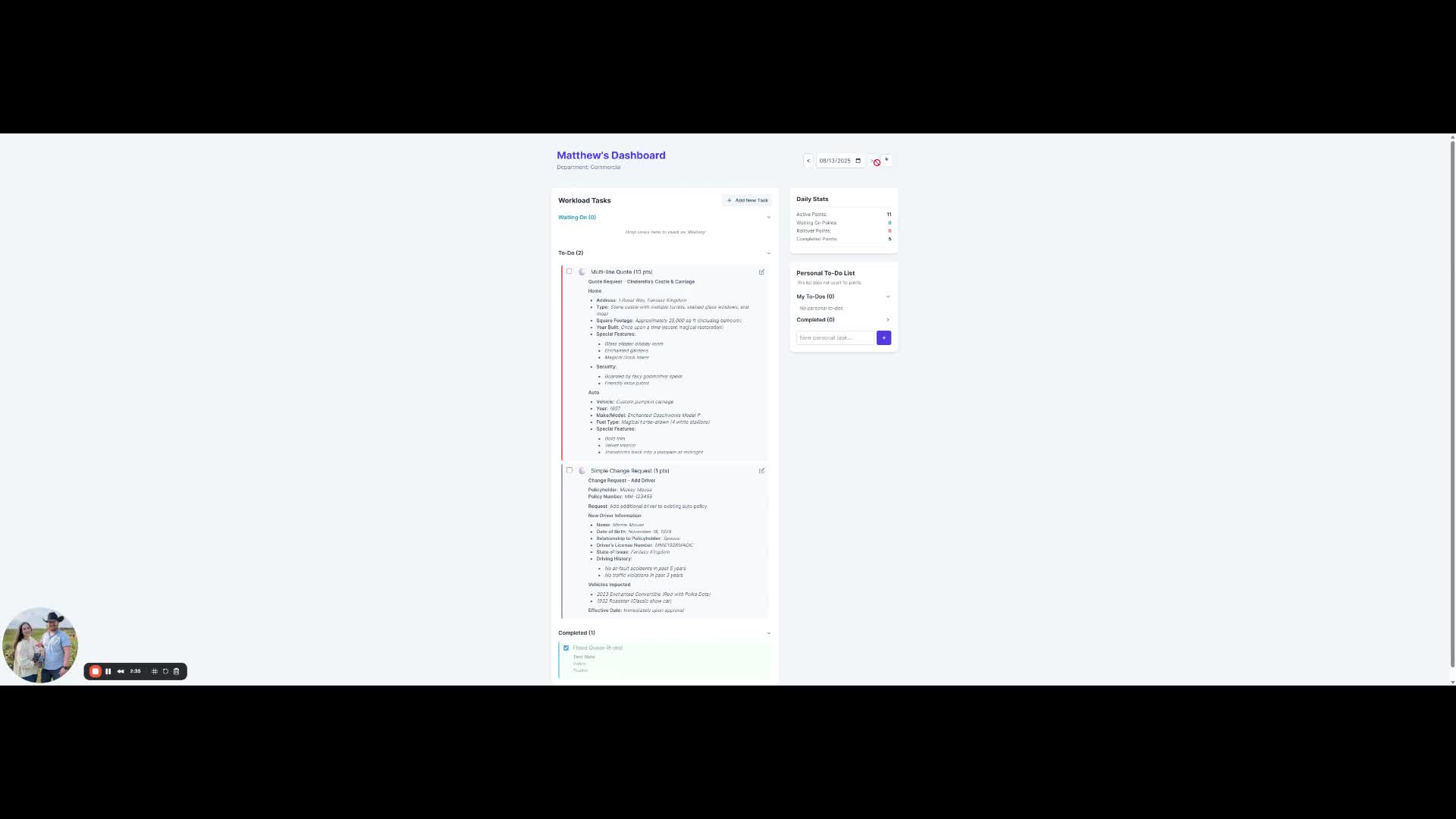
[▶ View on Loom (2:14)](https://loom.com/share/973fe7d1ed644806badf084b4e45a908?t=134)
|
||
|
||
- Access settings to toggle dark mode and RPG mode.
|
||
|
||
---
|
||
|
||
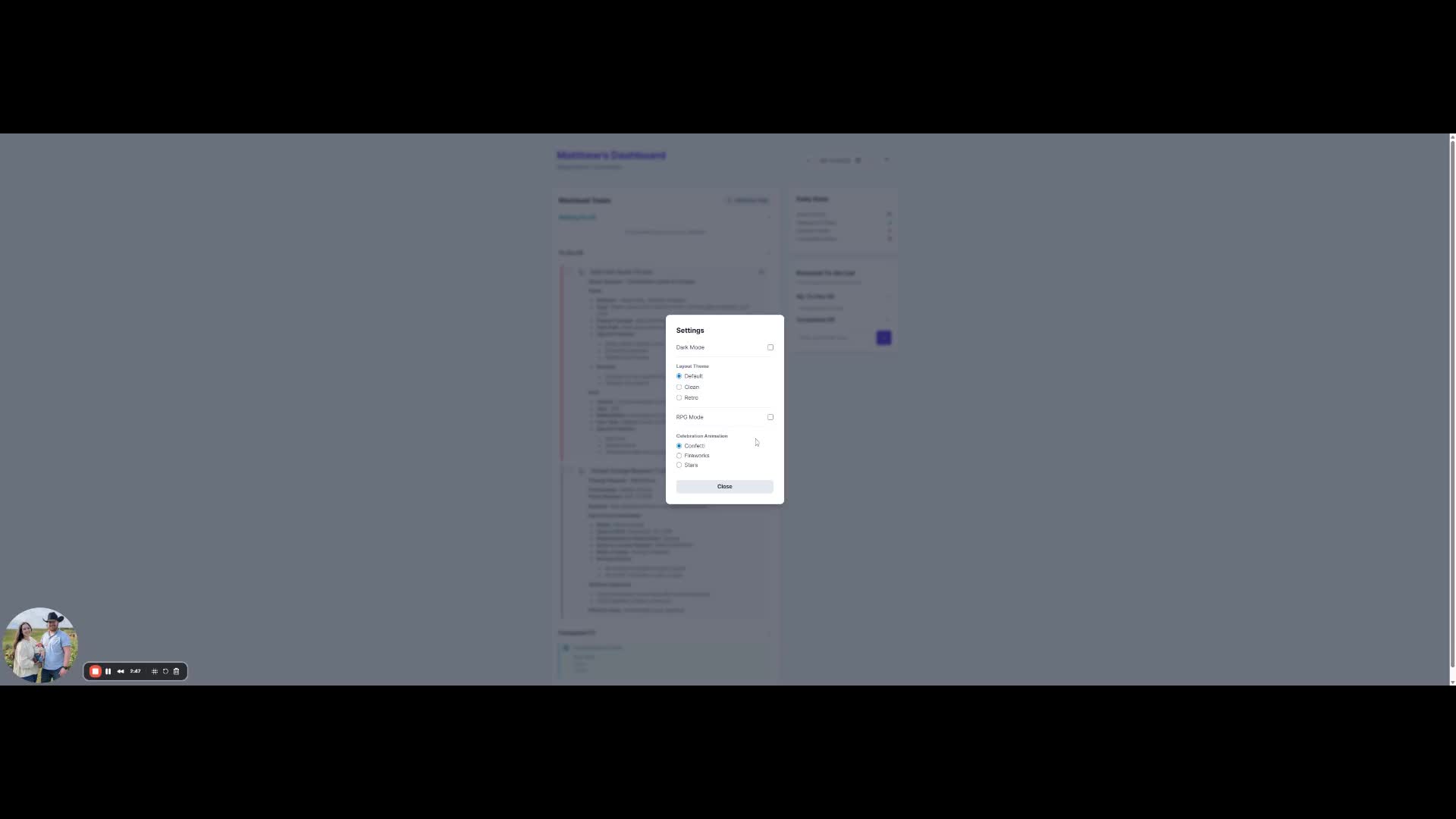
### 9. Using RPG Mode
|
||
[▶ View on Loom (2:24)](https://loom.com/share/973fe7d1ed644806badf084b4e45a908?t=144)
|
||
|
||
- Enable RPG mode to gamify task completion.
|
||
- Earn energy points for completed tasks.
|
||
|
||
---
|
||
|
||
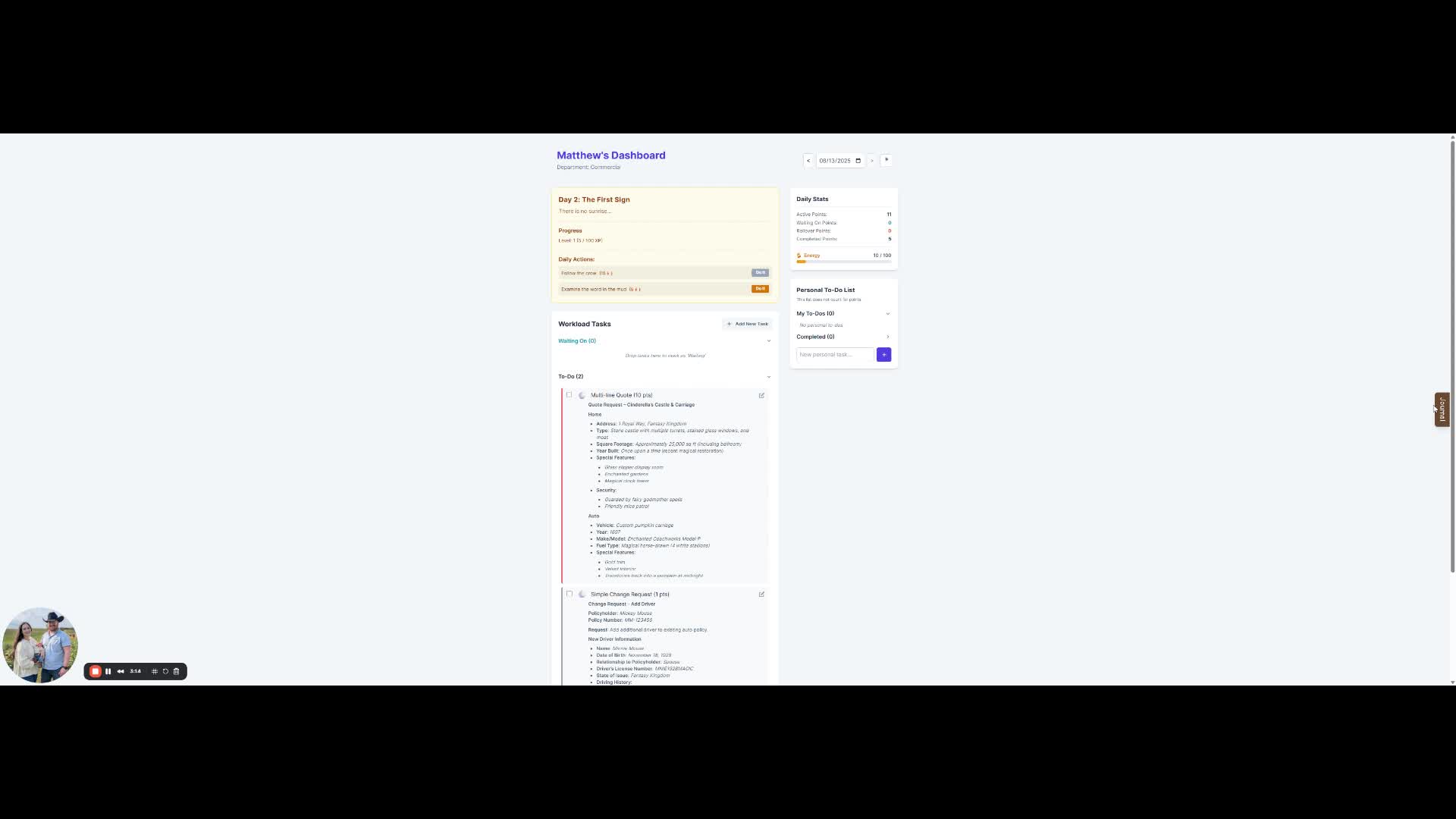
### 10. Accessing the Journal
|
||
[▶ View on Loom (2:49)](https://loom.com/share/973fe7d1ed644806badf084b4e45a908?t=169)
|
||
|
||
- Click on the journal to view daily stories and discoveries.
|
||
|
||
---
|
||
|
||
### 11. Managing Personal To-Do List
|
||
[▶ View on Loom (3:41)](https://loom.com/share/973fe7d1ed644806badf084b4e45a908?t=221)
|
||
|
||
- Add personal tasks that do not count for points.
|
||
- Mark them as complete when done.
|
||
|
||
---
|
||
|
||
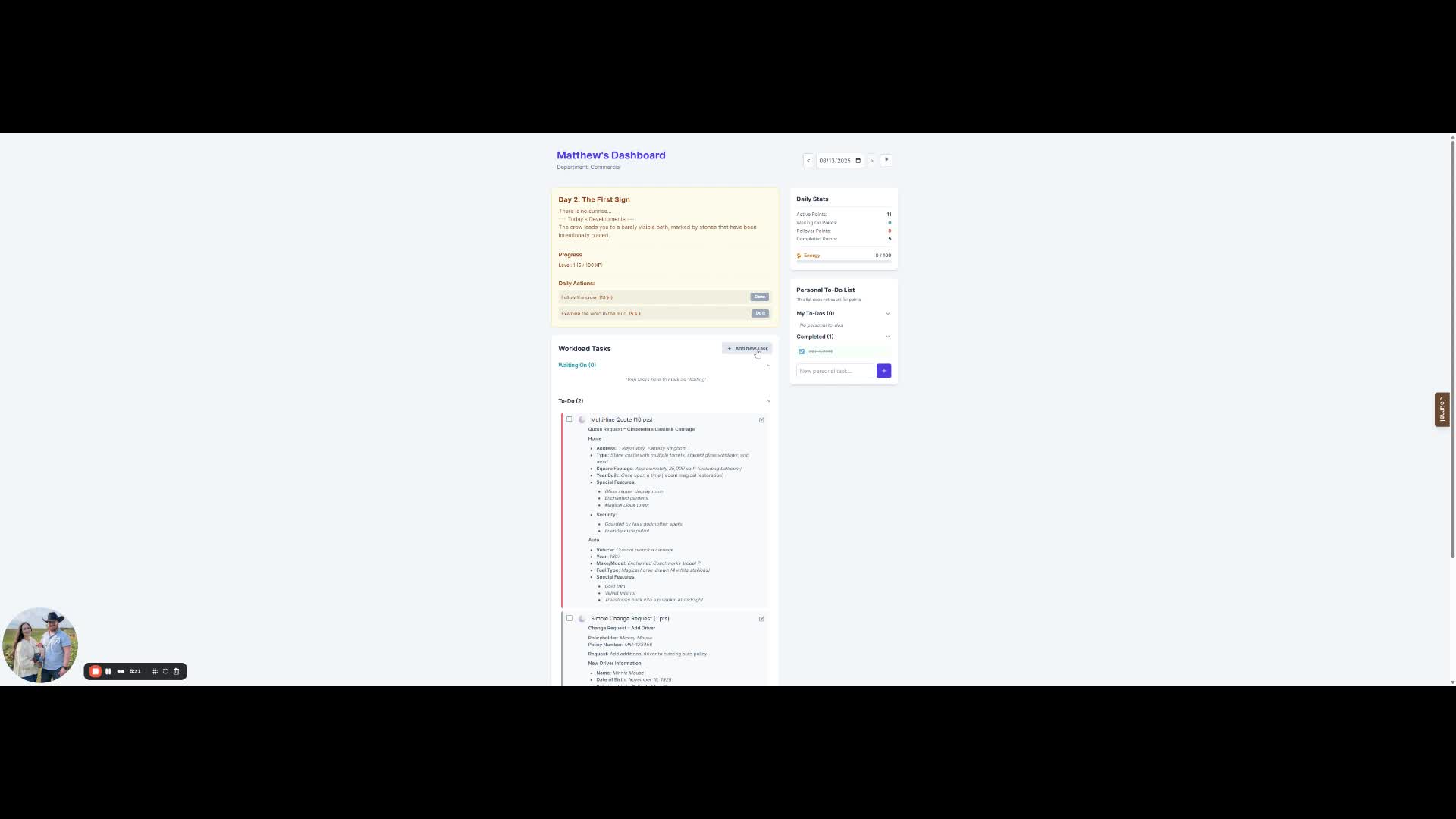
### 12. Adding New Tasks
|
||
[▶ View on Loom (4:40)](https://loom.com/share/973fe7d1ed644806badf084b4e45a908?t=280)
|
||
|
||
- Click **Add New Task** to create a task not assigned to you.
|
||
- Select the appropriate template or fill in the details.
|
||
|
||
---
|
||
|
||
### ⚠ Cautionary Notes
|
||
- Check tasks daily to avoid backlog.
|
||
- Be mindful of urgency levels to prioritize effectively.
|
||
|
||
### 💡 Tips for Efficiency
|
||
- Regularly review **Waiting On** tasks to follow up as needed.
|
||
- Use the journal to track progress and insights from completed tasks.
|
||
|
||
---
|
||
|
||
**📹 Full Loom Walkthrough:**
|
||
<https://loom.com/share/973fe7d1ed644806badf084b4e45a908>
|