1
How to Submit an Issue or Request
Matthew edited this page 2025-08-19 05:36:21 -07:00
(Please wait a moment for the screenshots to load in, every step has a screenshot)
Create a New Feature Request Issue
Made by Matthew Carnes with Scribe
1. Navigate to https://code.carnesinsurance.agency/Matthew/The_Personal_Lines_Task.Tracker

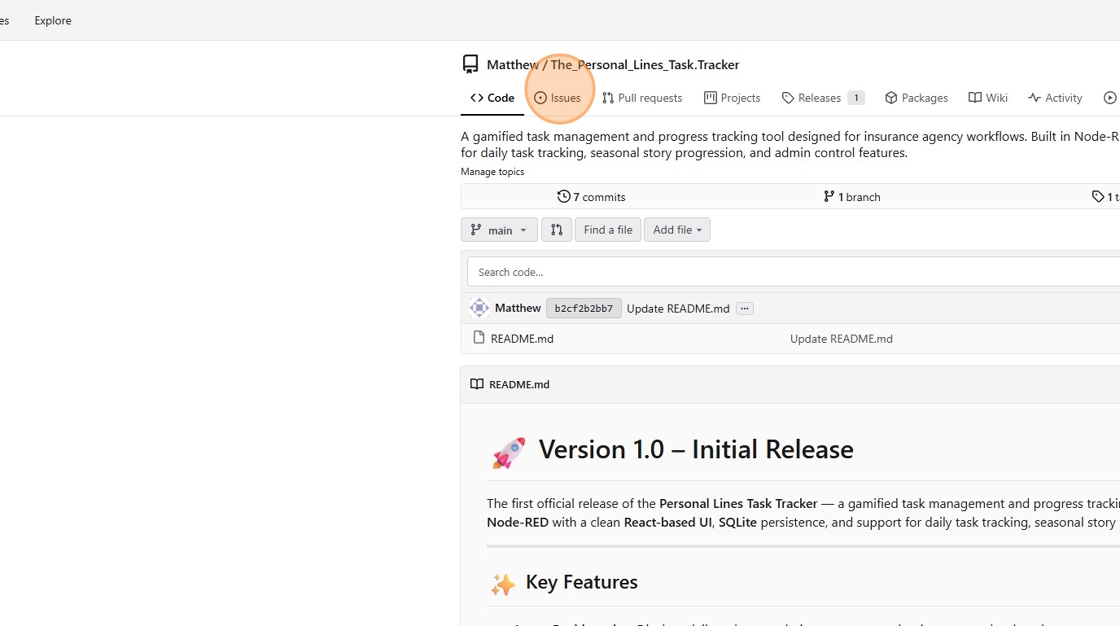
2. Click "Issues"
3. Click "New issue"

4. Click here.

5. Click "Request For requesting new features"

6. Click the "Title" field.

7. Type "Request Title Here"
8. Click the "Leave a comment" field.

9. Type "Feature Request Here - Please add details"
10. Click "Create issue"
